Background & Problem
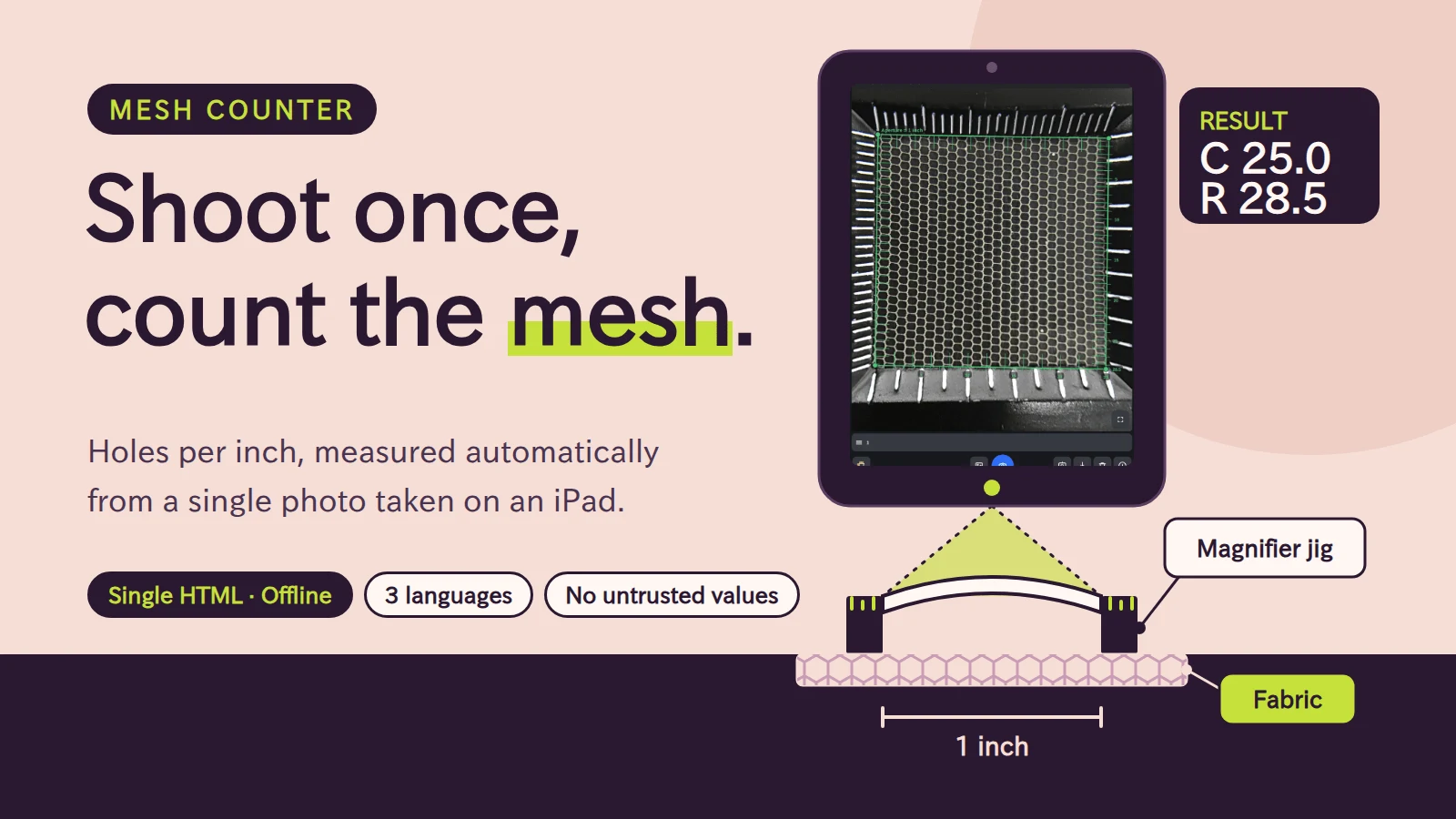
Fabric quality control needs the number of holes per inch (C: horizontal, R: vertical). On the floor, operators placed a magnifier jig with a 1-inch square aperture and graduations on the fabric, counted by eye, wrote the result on paper, and later typed it into a spreadsheet. Visual counting bottoms out at 0.5 steps, every measuring position means counting again, and transcription errors are unavoidable. The conditions were demanding: photographer, distance, zoom and tilt vary every time and cannot be fixed. The target device is the floor iPad, distribution must bypass app stores, and it has to work with poor connectivity. So the goal became: take one photo and let the code absorb the variation in shooting conditions.
Key Features
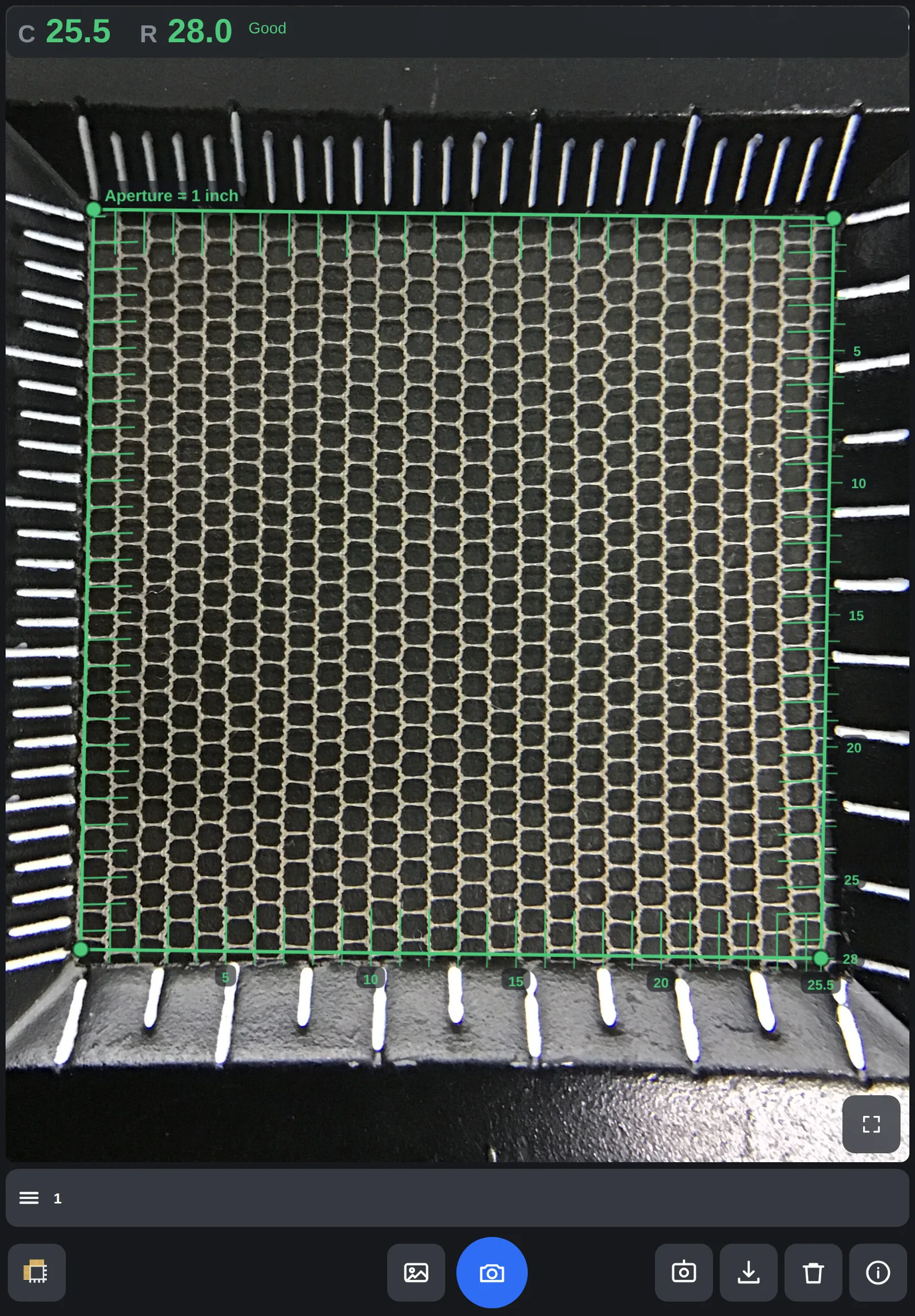
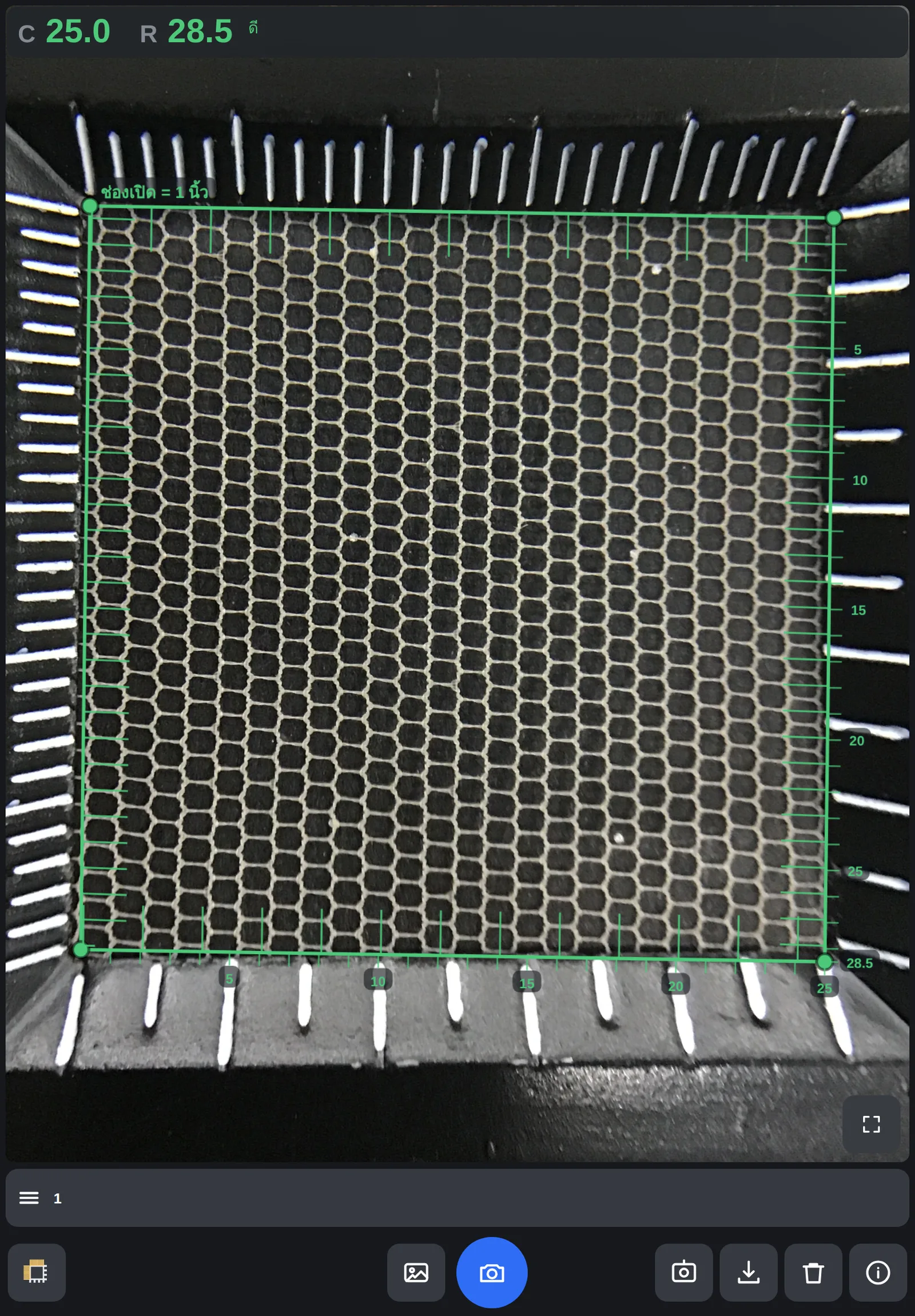
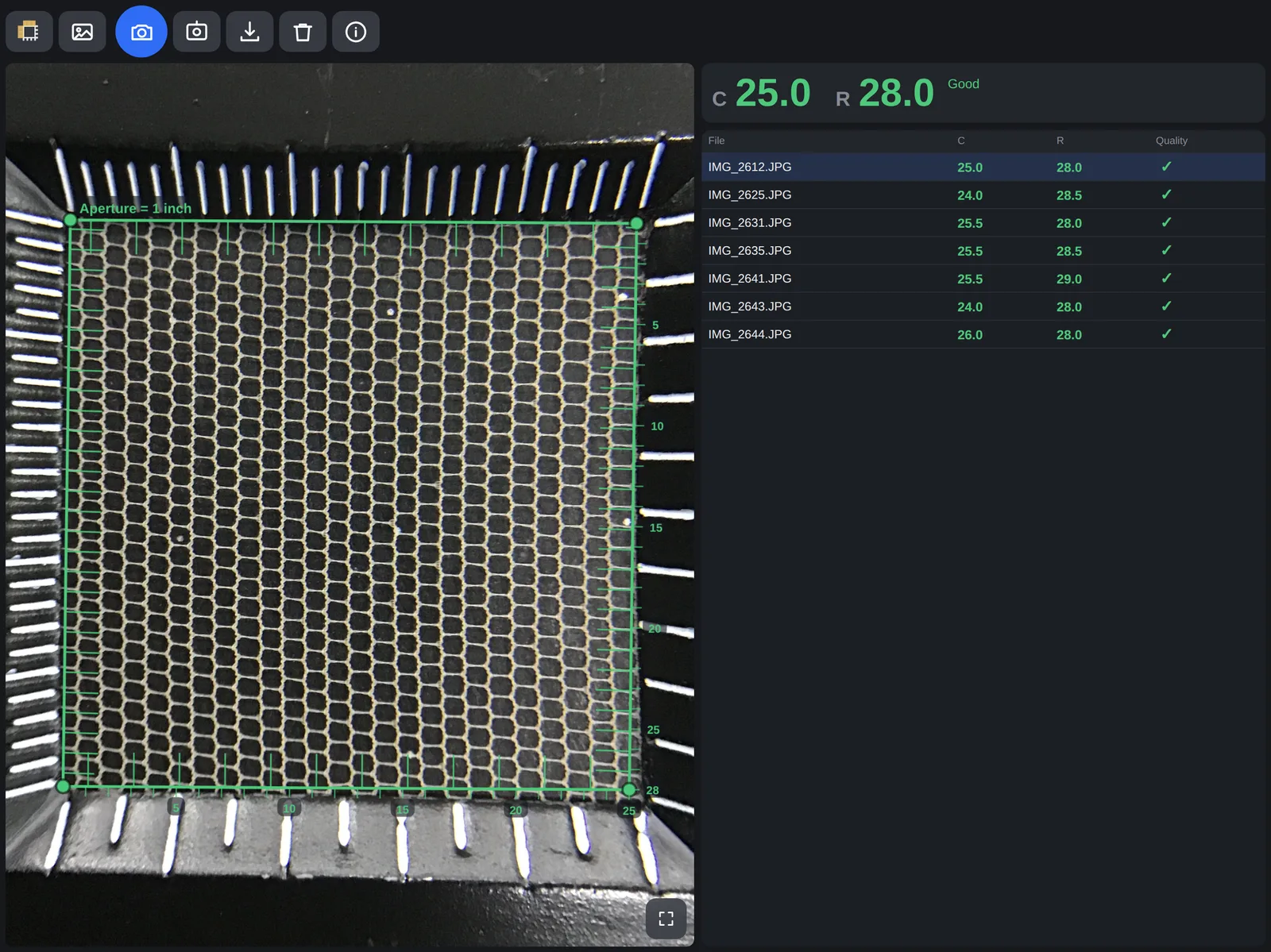
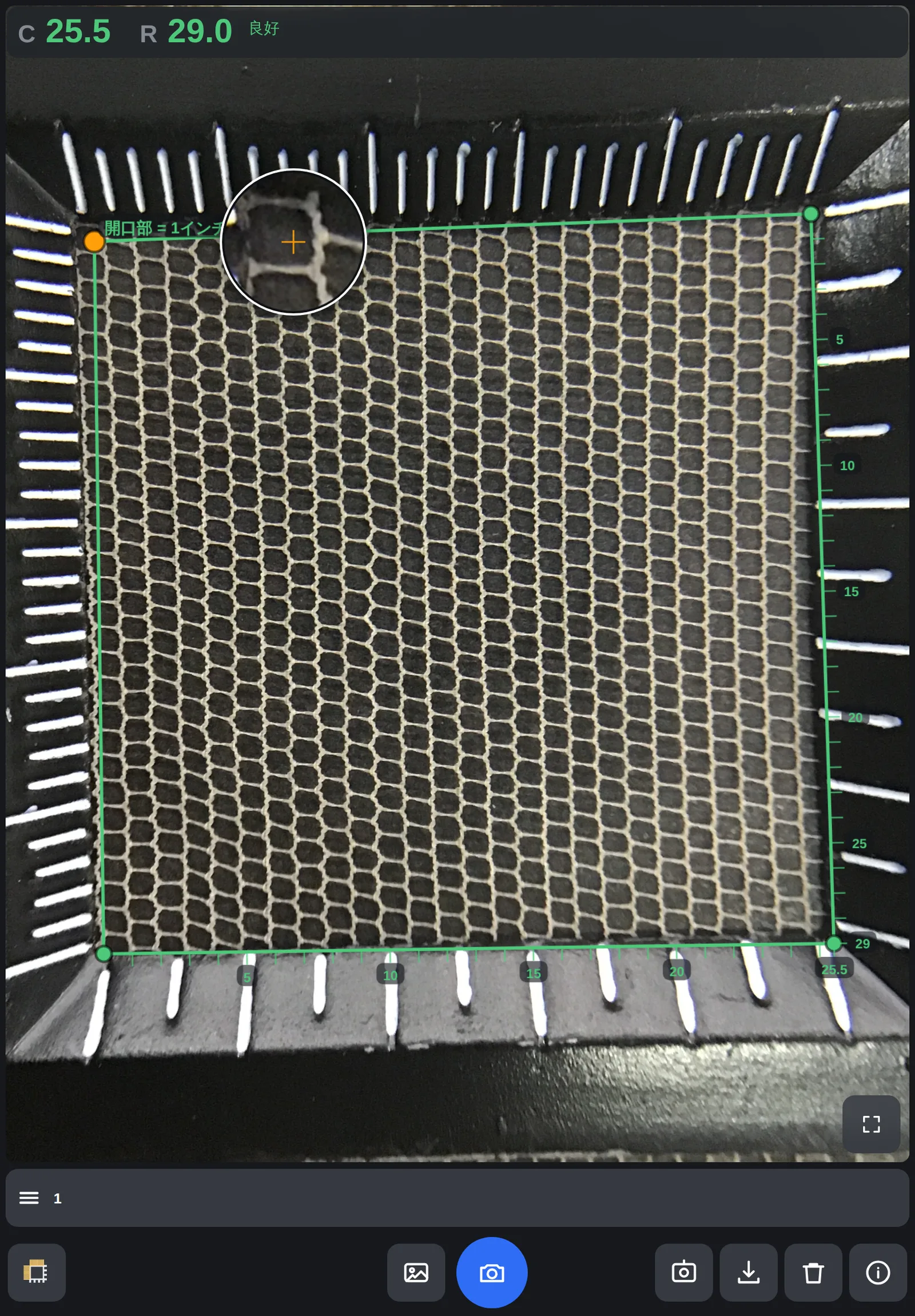
From the jig's graduations the app automatically finds the four corners of the aperture and reports holes per inch horizontally (C) and vertically (R). Results are drawn over the photo as numbered ticks, so the operator can see exactly where the count comes from. Many photos can be loaded at once into a table with quality marks and exported as CSV. The UI defaults to Thai and switches to Japanese or English — working in the floor's own language is part of the feature set.
Technical Approach & Architecture
Because of how the app has to be distributed, it is a single HTML file with no npm, build step or external CDN. It runs from the iPad's file app or browser (including embedded viewers), works offline, and everything is processed on-device with Canvas 2D — photos never leave the device. Machine learning was considered but set aside: only a few dozen labeled images exist, which invites memorization. If introduced, the plan is training on synthetic data that exploits the known structure of the fabric. Instead the app anchors on a physical fact — the aperture is exactly one inch square — and uses deterministic image processing. Pipeline: photo → aperture corners from the graduation tips → homography to a 1200px = 1 inch square → hole detection and 2-D lattice fitting (falling back to 1-D period estimation) → harmonic correction → rounding to 0.5.
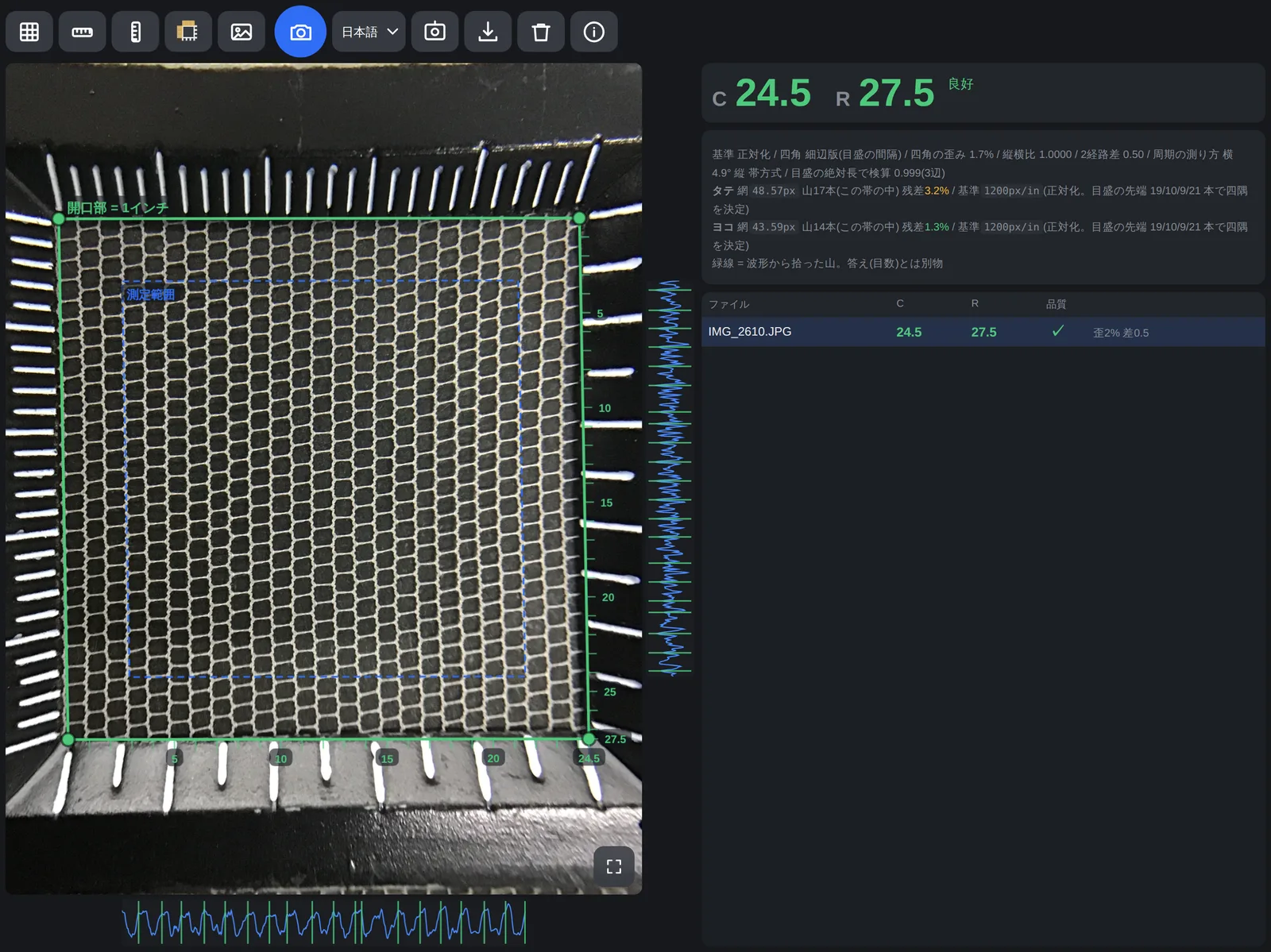
Engineering Highlights: Anchoring on One Inch
When distance, zoom and tilt change every shot, nobody knows how many pixels make a millimeter. The 1-inch square aperture is the anchor: once the four corners are known, an 8-DOF homography warps the photo to a square, so 1200px = 1 inch holds automatically and no separate px-per-inch estimate is needed. Keystone distortion and tilt disappear in the same step. Corner accuracy dominates everything, so I measured the reliability of each edge. The finely graduated edges (1 mm) were 4–13× more stable than the coarse ones, so the quad is now built only from the two fine edges plus the graduation pitch × 1 inch. It is always a square by construction, which rules out aspect-ratio failures, and the number of measurable images went from 31 to 33 on its own. The graduation tips also end slightly outside the aperture edge, shifting the whole quad. Two independent measurements — hand labels and on-device finger adjustments — agreed on the same offset (about 1.5%), which is how the correction was validated.
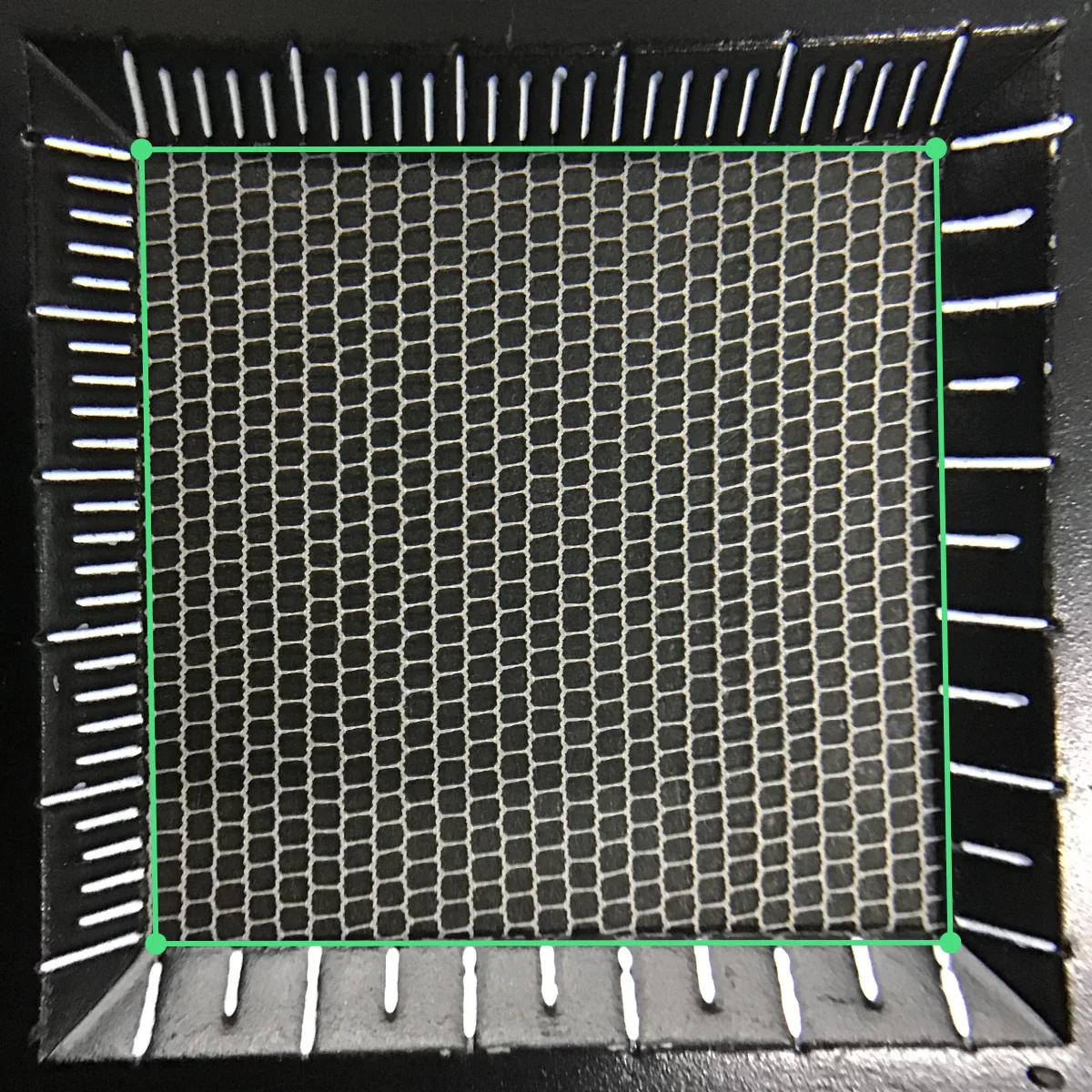
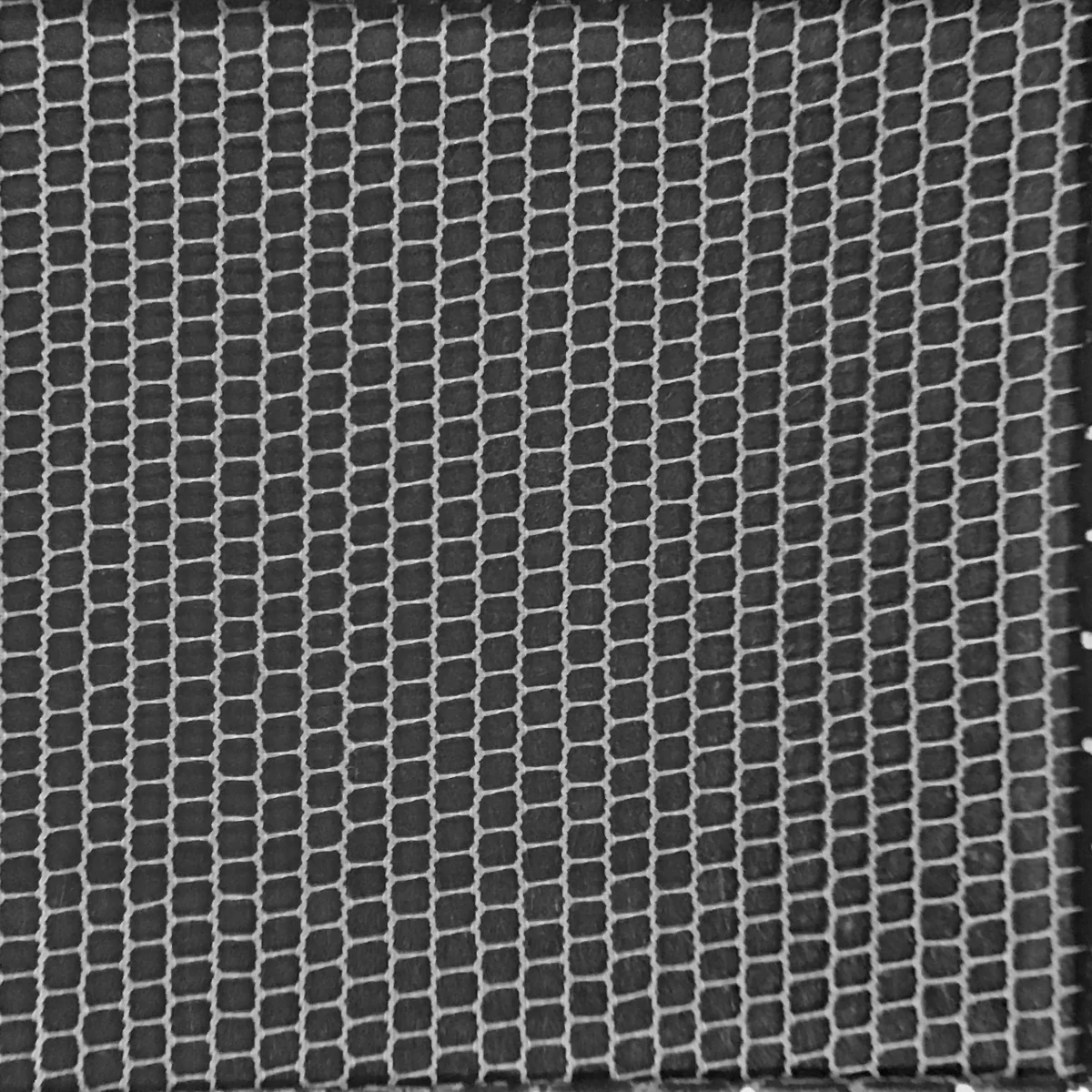
Engineering Highlights: Never Show an Untrusted Number
In quality control a wrong number is more dangerous than no number. When the quad's aspect ratio exceeds what real distortion allows (measured max ≈2.9%), when the graduation cross-check disagrees, or when lattice occupancy is too low, the app shows no value and gives concrete retake instructions instead. The same policy applied to performance work. Replacing sorting with prefix sums and similar changes cut processing time by 27–45%, but only optimizations verified to produce bit-identical output were kept. Deferred updates that change a displayed number later were rejected because they erode trust in the numbers.
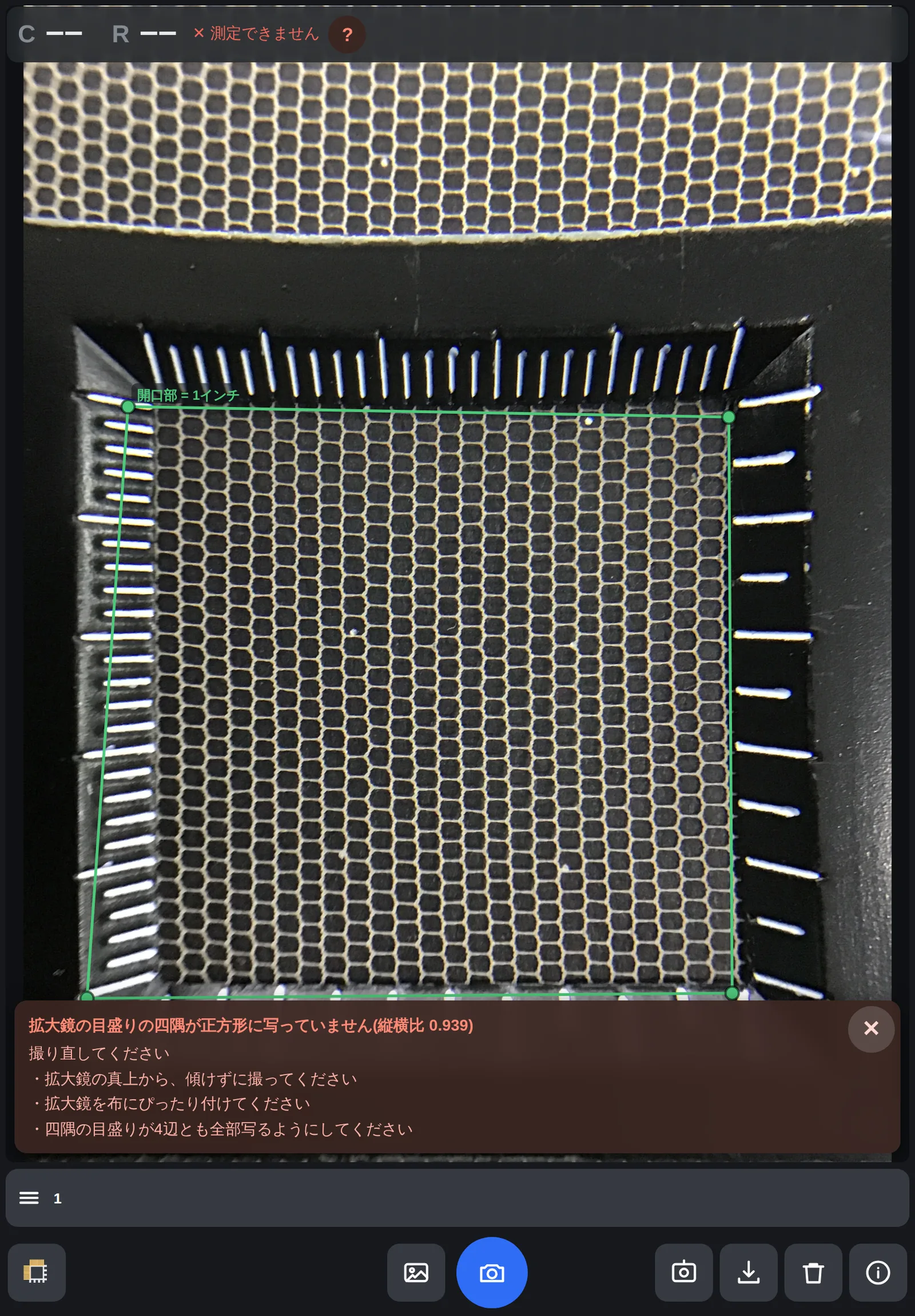
Engineering Highlights: When Automation Fails, Fix It by Hand
Some images will always defeat auto-detection, so operators can drag any corner and the app re-measures at once. I tuned it on the iPad itself: the grabbed point doesn't jump under the finger, a loupe magnifies the target, and on-screen guidance never covers the screen corners. Embedded viewers have quirks: confirm dialogs are ignored, file saving is blocked, and the header slides in and out on every tap, resizing the photo. Confirmation uses a custom dialog, saving shows the text for copying, and a ResizeObserver keeps the overlay glued to the photo.
Engineering Discipline: Recording Failures
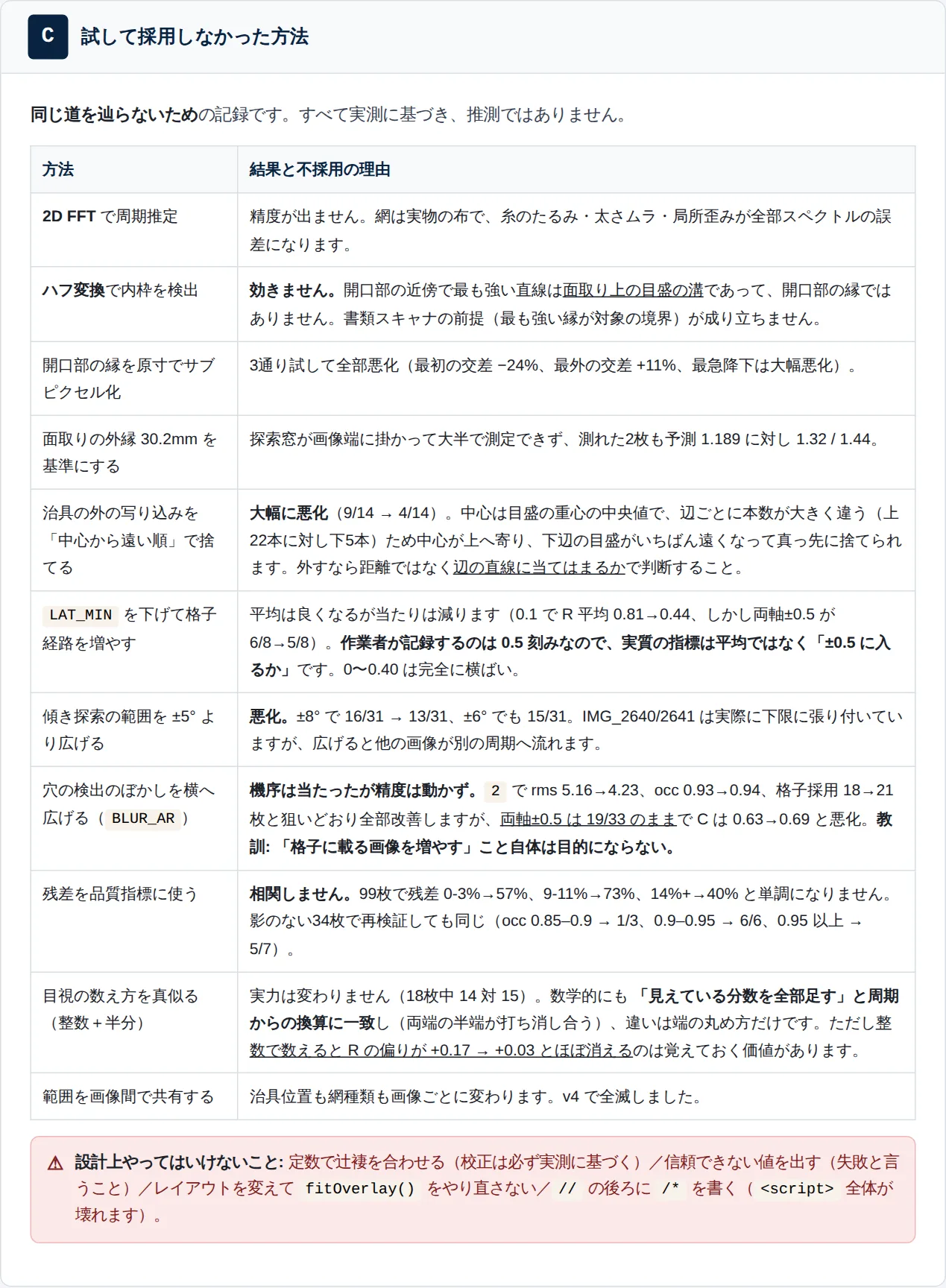
Accuracy work is a loop of hypothesis, measurement and accept/reject. I actually tried 2-D FFT, Hough transforms, per-scanline thread counting and using fit residuals as a quality metric, and recorded why each failed, with numbers. Scanline counting, for instance, undercounts because the horizontal threads form ladder-like rungs; I proved that a correction removes the bias, yet the result correlated too strongly with the existing method to help, so it was removed. Constants are set only by measurement, and checked for overfitting by separating the images used for tuning from unseen ones. Even when a hypothesis turns out wrong (the autocorrelation change helped for a different reason than predicted), the result is recorded honestly.
Outcome & Impact
On 50 real photos, 49 were measured and 34 (69%) were within ±0.5 of the visual count on both axes; 39 were within ±1.0. Performance did not degrade on the 16 images not used for tuning. Processing takes about 2 s per image on a PC and about 4 s on an iPad. Known gaps are tracked too. Display stays at 0.5 steps (shifting a corner by a few pixels moves the raw value by about 0.14, so 0.1 steps are not yet trustworthy), and the one unmeasurable image is rescued by manual corner adjustment. For new fabric colors and shapes, I have already traced a failure to the search range being exceeded, which knocks out a whole path; per-product ranges are planned. The project policy is to keep widening what can be measured honestly.